
Applications
- ITRS (VR Film Scouting) (2025+)
- VR Nature Scene with Heart Rate Biofeedback (2024+)
- Using Virtual Reality to Teach Concepts in Chemistry (2023+)
- Surgical Robotics Test Bed (2023+)
- Tools for Teaching Classes in Social VR (2020-2025)
- Class Meetings in Social VR (2020-2021)
- Offshore Oil Rig Training with a Gaze-Aware Teacher (2018+)
- Tiny House Walkthrough Between High Schools (2017-2018)
- Affective Task Library for VR (2017+)
- Virtual Field Trips for K-12 Education (2014+)
- Large Dataset Exploration with Multi-Touch Graph Interfaces (2012+)
- Interactive Monitoring and Prediction of Water Levels around New Orleans (2014-2015)
- VR Exploration of the “Dinosaur Killer” Impact Crater (2004+)
- Welding Simulation (2008-2012)
- Dismounted Soldier Simulation with Omnidirectional Treadmill (2007-2010)
- Isaac Verot Coulee Watershed Visualization (2009-2011)
- Well Log Visualization for Coalbed Methane Exploration (2010-2013)
- Immersive LIDAR Visualization
ITRS (VR Film Scouting) (2025+)
Researchers: Adil Khokhar, Roberto Salazar Rodriguez
Choosing a filming location usually means sending scouts to each candidate site. We are building a VR application that lets film scouts survey Louisiana locations remotely and together. Scouts appear as avatars at the site, talk by voice or text chat, and can see where the others are and what they are looking at.
Scouts mark areas of interest with live annotations, such as the number of lights or windows or the kind of lighting, and can attach documents, photos, 360° video or text to them. The annotations persist, so the team can review a site later.

A scout in VR explores a scanned film location; other scouts join as avatars.

Scouts draw live annotations to mark areas of interest; another scout’s avatar is at the right.
Videos:
Users collaborate in various scenes in our VR film scouting environment.
VR Nature Scene with Heart Rate Biofeedback (2024+)
Researchers: Niloofar Heidarikohol
We built a nature-based VR environment in which users can see, hear, or feel their own heartbeat. Heart rate is measured with wearable sensors such as a Polar chest strap or watch, an EmotiBit, or a pulse sensor, and is presented in real time as a visual pulse in the scene, a heartbeat sound, or a vibration through a haptic vest.
Users can watch the feedback change as they slow their breathing, practicing the awareness and control of their physiological state that helps during stressful moments. The environment is aimed at helping students build emotional resilience and emotional intelligence.
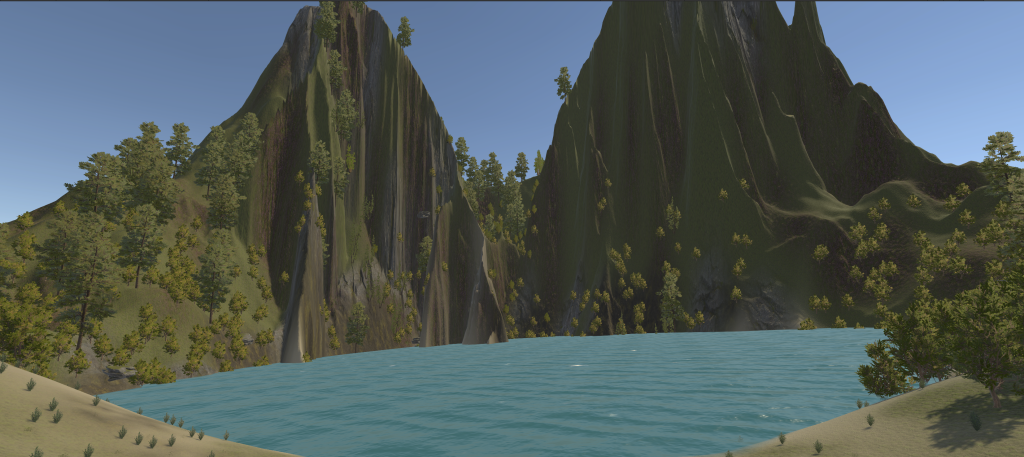
The heart rate feedback nature scene. The user’s heart rate can be presented visually, as sound, or as vibration.
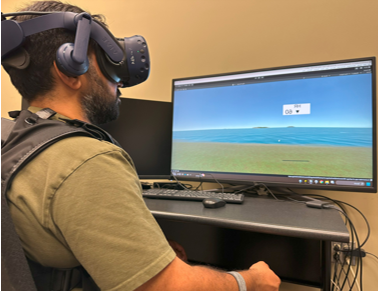
A user wearing an HTC Vive headset, a haptic vest, and a Polar watch.
Research: Enabling Emotional Intelligence with VR and Physiological Sensing
Using Virtual Reality to Teach Concepts in Chemistry (2023+)
Researchers: Adil Khokhar and David Broussard
Molecules react only when they meet in the right relative orientation and proximity, a spatial idea that beginners often find hard to grasp. We built a VR chemistry lab in which users grab molecules with their hands and move them into position to make them react. Ball-and-tether handles, a grabbable sphere tethered to each molecule, guide users to molecules and let them reach molecules that are out of arm’s length.
The system favors intuitive interaction over a full molecular dynamics simulation, which keeps molecules from moving erratically. A mapping between the atoms of the reagent and product molecules lets it detect when a reaction should occur, animate it, and place the products relative to the positions and orientations of the reagents. We plan to estimate how well users understand a reaction from their head, hand, and eye motion, so the system can give adaptive hints.
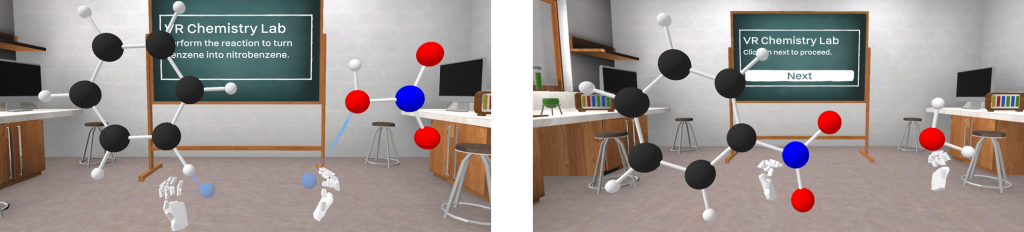
Left: VR environment and reaction prompt. Right: User performs the reaction by spatially orienting molecules.
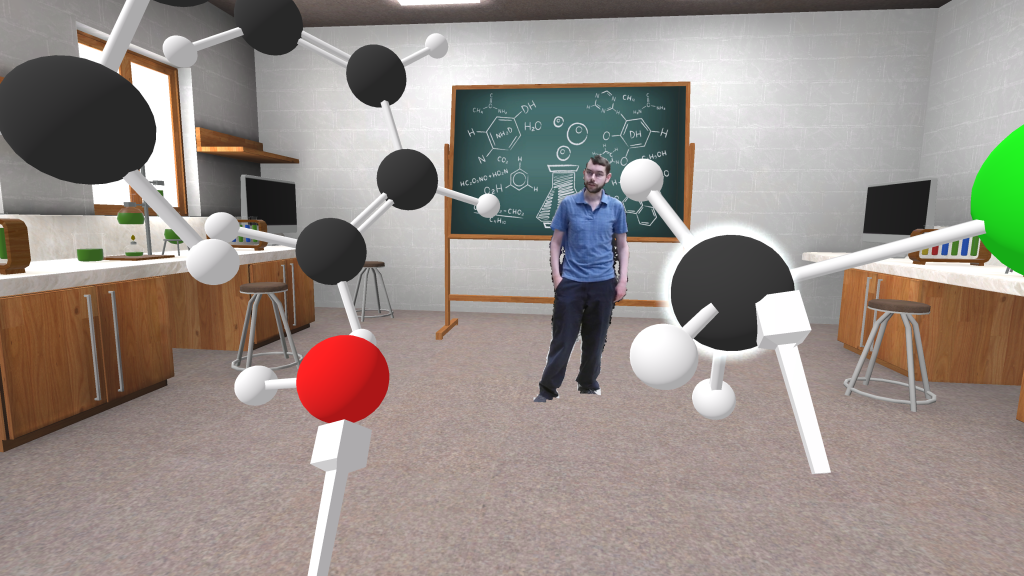
Teacher and user in the chemistry VR environment.
Videos:
Learners in our VR chemistry lab, shown in mixed reality, grabbing and orienting molecules to make them react.
The distance-grab tether technique, in mixed reality.
Publications:
Khokhar, A., Broussard, D. M., & Borst, C. W. (2024). Hands-on VR Approach to Teach 3D Spatial Concepts of Molecular Reactions. Proceedings of the 2024 ACM Symposium on Spatial User Interaction, 1–3. (PDF)
Surgical Robotics Test Bed (2023+)
Researchers: Md Istiak Jaman Ami, Jason Woodworth
Our surgical robotics test bed consists of a Raven II surgical robot, a surgeon station with haptic input devices, and software that records rich data during operation, including vision, haptics, IMU, and force. An operator at the surgeon station controls the robot’s arms and grippers with two 6- or 7-DOF haptic stylus devices, a joystick, or hand tracking, and performs basic surgical-style tasks such as suturing practice, needle transfer, and post and sleeve.
The test bed supports our research on how to show the operating site to the surgeon, how to render haptic feedback, and how to keep robotic teleoperation secure.
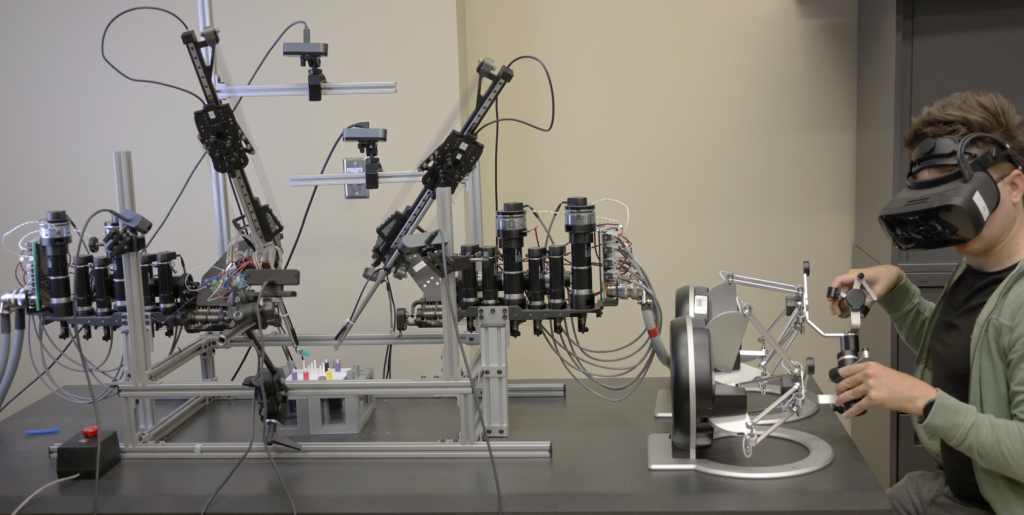
An operator at the surgeon station uses haptic stylus devices to control the Raven II robot (left).
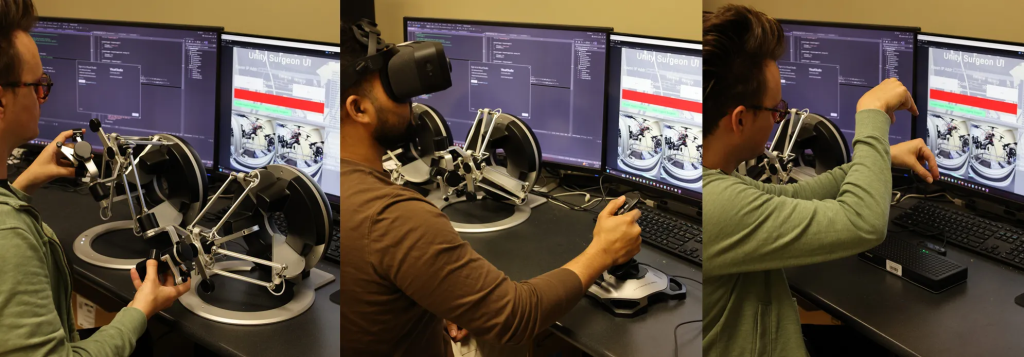
Users of various input types. Joystick motion moves the arms on the horizontal plane, the directional pad on top controls vertical movement, and twisting controls z-axis rotation. Hand tracking has the graspers mirror hand pose and uses pinch gestures to control grippers.
Research: Teleoperation and Security of Surgical Robots
Tools for Teaching Classes in Social VR (2020-2025)
Researchers: David Broussard, Yitoshee Rahman, Jason Woodworth
We build tools that help a teacher run a class in a shared VR space. For a teacher wearing a headset, a classroom dashboard keeps students in view: floating indicators and face icons show where each student is, what they are looking at, and signs of their attention, with options to reduce how much is shown.
For a teacher who would rather not wear a headset, cross-reality desktop interfaces let them present from a regular computer. Slides, notes, and a view of the audience stay on the screen, while desktop eye and hand tracking animate the teacher’s avatar for the students in the virtual classroom.
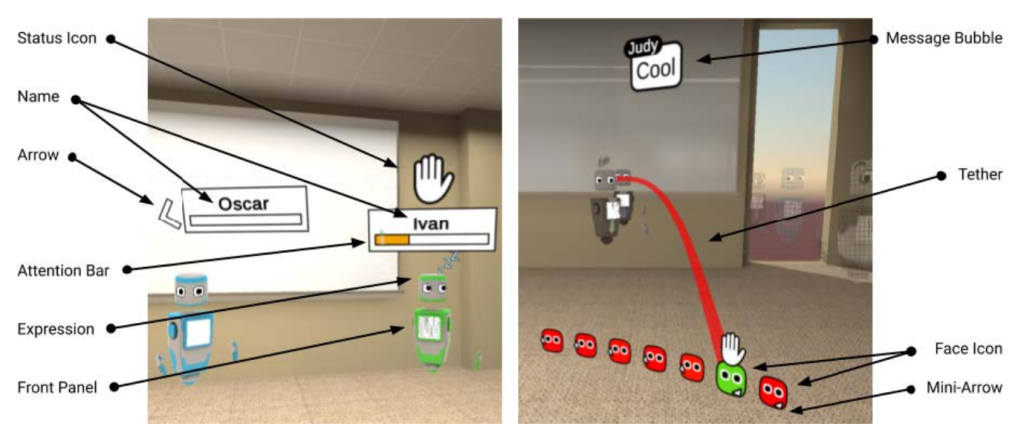
Classroom dashboard indicators for a teacher in a headset, in floating (left) and classwide (right) display styles.
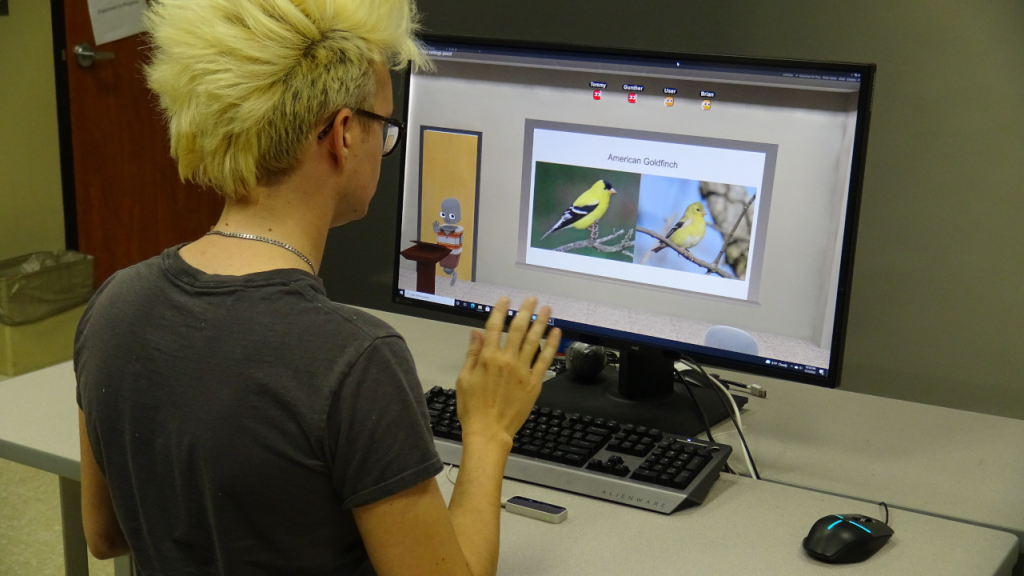
A presenter at the cross-reality desktop interface waving to the audience. A Leap Motion Controller captures hand movement and a Tobii eye tracker captures eye and head movement.
Videos:
Research: Teacher Awareness of Student Actions and Attention in a VR Classroom and Cross-Reality Desktop Interfaces for Presenting to an Immersed Audience
Class Meetings in Social VR (2020-2021)
Researchers: Andrew Yoshimura
During the COVID-19 pandemic, a university course met in VR. For seven weeks, students attended class from home in Mozilla Hubs, a social VR platform, joining with either a VR headset or a desktop computer. As avatars in a shared virtual classroom, they watched lectures, interacted with classmates, and gave their own project presentations.
Students said they would prefer a mix of headset and desktop options, chosen by comfort and by the type of class activity.

A lecture in Mozilla Hubs, seen by an audience member at the back of the room.

A student presents a project update in Mozilla Hubs; the presenter is at the left.
Video:
Related Publication:
Andrew Yoshimura and Christoph W. Borst, “A Study of Class Meetings in VR: Student Experiences of Attending Lectures and of Giving a Project Presentation,” Frontiers in Virtual Reality, Volume 2 (2021), doi: 10.3389/frvir.2021.648619. (PDF)
Research: A Study of Class Meetings in VR
Offshore Oil Rig Training with a Gaze-Aware Teacher (2018+)
Researchers: Adil Khokhar, Andrew Yoshimura
Our offshore training system takes trainees on a VR field trip to an offshore oil rig. A teacher, recorded with a Kinect depth camera, guides the trip and points out equipment such as valves and barrels. The field trip builds on our Kvasir-VR approach to teacher-guided virtual field trips.
The system uses eye tracking to follow where each trainee is looking. When a trainee’s attention drifts, for example to a notification on an in-game tablet, the teacher can pause and guide the trainee’s attention back, or a visual cue can lead the trainee’s gaze back to the equipment being discussed.
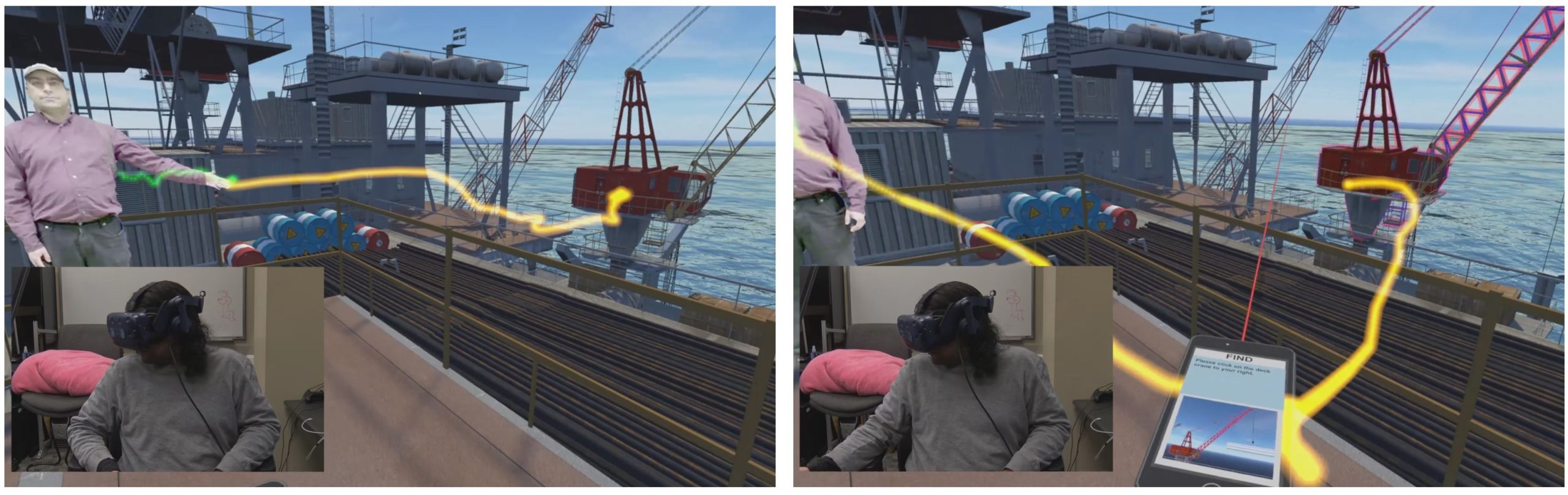
Left: The recorded teacher points out equipment on the virtual oil rig while a trainee watches in a headset (inset); the yellow trail shows the trainee’s gaze. Right: A prompt on an in-game tablet draws the trainee’s gaze away.
Videos:
Related Publications:
A. Yoshimura, A. Khokhar, and C. W. Borst, “Visual Cues to Restore Student Attention based on Eye Gaze Drift, and Application to an Offshore Training System,” ACM Spatial User Interaction (SUI) 2019, Article 30. (PDF)
A. Yoshimura, A. Khokhar, and C. W. Borst, “Eye-Gaze-Triggered Visual Cues to Restore Attention in Educational VR,” IEEE Virtual Reality 2019, pp. 1255-1256. (PDF)
A. Khokhar and C. W. Borst, “Modifying Pedagogical Agent Spatial Guidance Sequences to Respond to Eye-Tracked Student Gaze in VR,” ACM Spatial User Interaction (SUI) 2022, Article 12. (link)
Research: Detecting and Responding to Student Distraction with Pedagogical Agents and Guiding vs. Restoring Attention in Virtual Environments
Tiny House Walkthrough Between High Schools (2017-2018)
High school students who were building a real tiny house used Kvasir-VR to show it in VR. A student at David Thibodaux STEM was captured with a depth camera and placed into a VR model of his tiny house, then guided a student at Carencro High School, about 12 miles away, through a walkthrough explaining its purpose and features over the school district’s network.
The project was supported by the Mozilla Gigabit Community Fund, and its activities are documented in our Mozilla Gigabit Community Fund Blog.
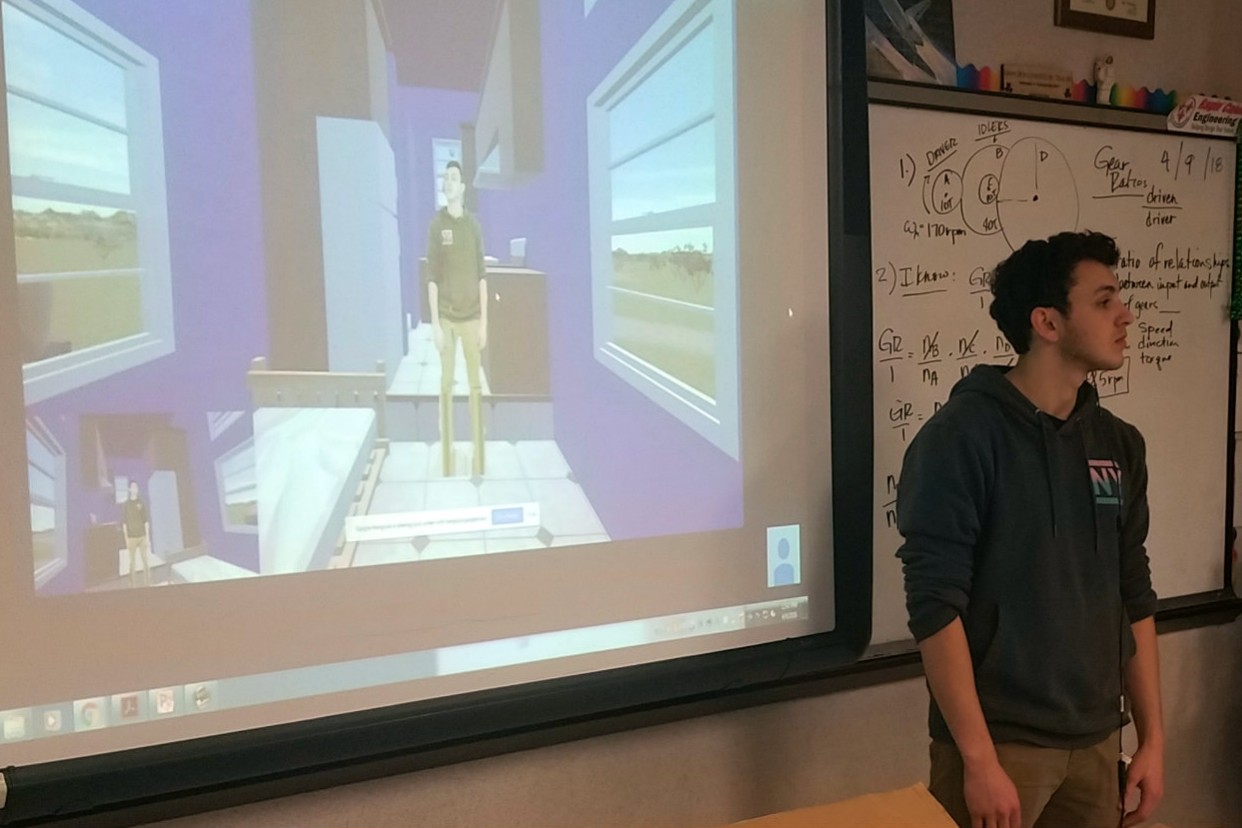
A high school student remotely guides a Carencro High student through his virtual tiny house model.
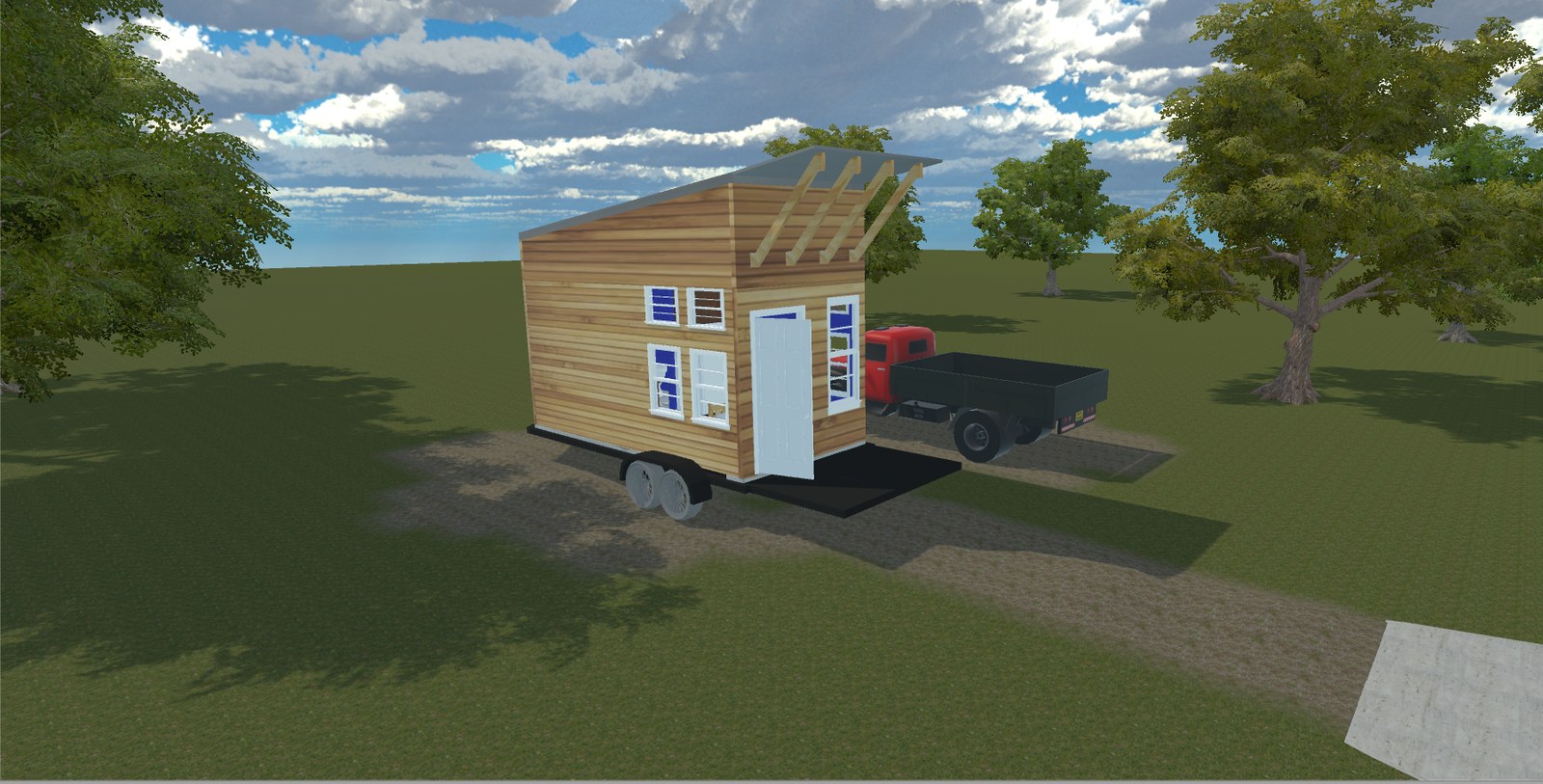
The tiny house model in VR, parked beside the truck that tows it.
Video:
The project was featured in a wrap-up documentary from Mozilla and AOC Community Media.
Research: Kvasir-VR: Networked VR Overview
Affective Task Library for VR (2017+)
Researchers: Jason Woodworth
Our library of short interactive VR tasks is designed to quickly bring out specific emotions without needing a story or characters. Buzzer Box asks the user to keep a ball centered while an invisible force pushes it away, Shape Match asks them to pick a matching shape, Box Sorting has them sort boxes into colored bins while sometimes giving wrong feedback, and Guided Tai-Chi has them follow colored spheres with their tracked hands while giving positive feedback.
The tasks target frustration, confusion, excitement, and boredom, and each has a neutral version for comparison. They give researchers a way to collect physiological and behavioral responses for emotion recognition in interactive VR.
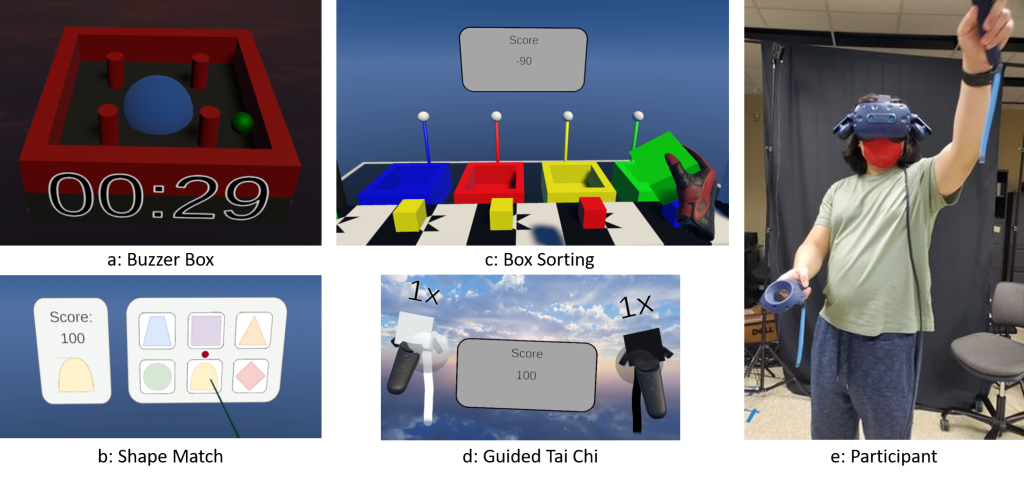
The tasks: Buzzer Box (a), Shape Match (b), Box Sorting (c), and Guided Tai-Chi (d), with a participant performing Tai-Chi (e).
Video:
Research: Affective Tasks for Eliciting Emotion in VR
Virtual Field Trips for K-12 Education (2014+)
Research Assistants: Sam Ekong, Jason Woodworth
VR can bring field-trip-like experiences to K-12 students who are unable to visit real sites due to geographic, economic, or scheduling barriers. Real field trips have promising effects such as long-term information recall, and viewing a facility in person directly communicates size and spatial relationships of objects. VR field trips may provide such benefits without requiring students to leave the home or classroom. VR also allows environments to be augmented with additional educational content, such as embedded educational animations and simulations of rare events. We develop VR-based field trip approaches and assess them directly in high schools. We worked with faculty from other units to apply our approaches to applications such as energy education and offshore training.
We refer to our VR field trip approaches as “Kvasir-VR” and describe them further on our page about Networked VR and the example Virtual Energy Center Application.
Images
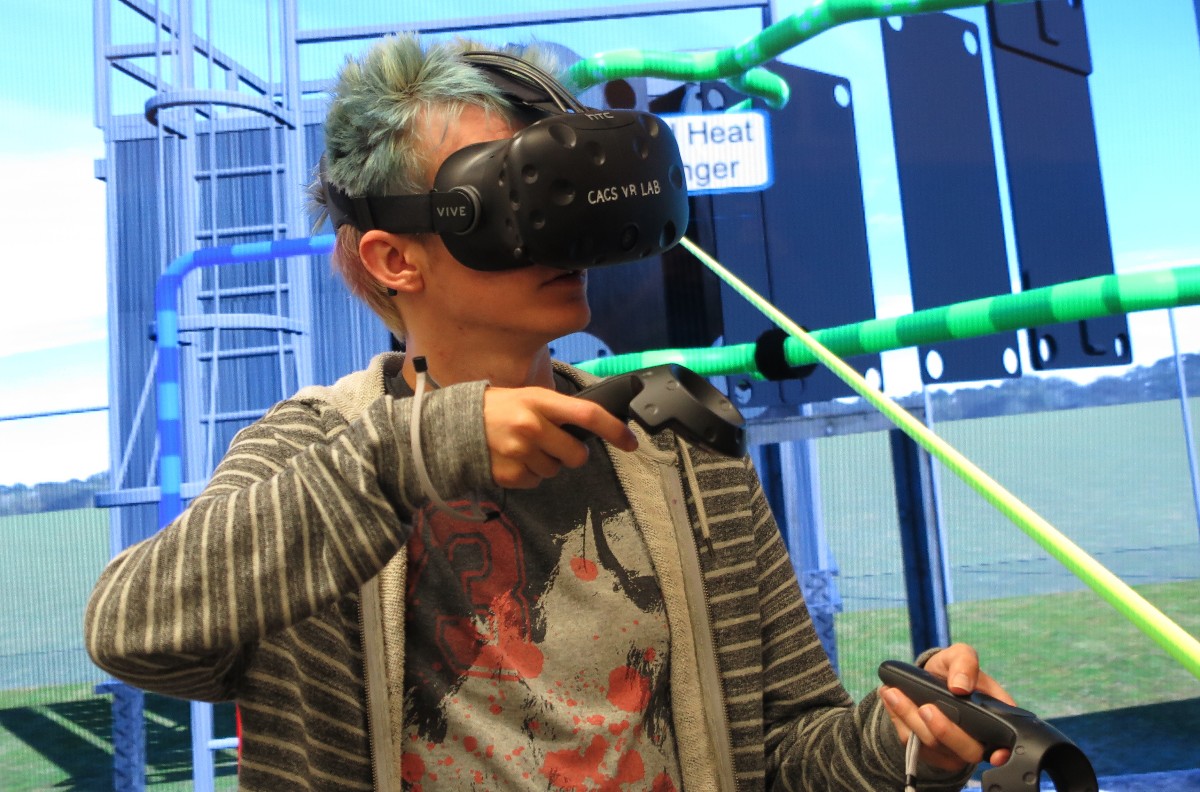
A user immersed with the HTC Vive explores a station in the Virtual Energy Center application. Wands are used to interact with machine components to trigger educational visuals.

A student at a local high school participates in an experiment to assess live (networked teacher) and standalone VR field trip approaches.
Video
Publications
- IEEE VR 2018 paper overviewing Kvasir-VR and evaluating networked and standalone approaches (PDF) (Video) (DOI)
- IEEE Workshop paper from “Everyday Virtual Reality 2017” discussing a TV-based teacher interface and evaluating visual pointing cues . (PDF) (DOI)
- IEEE VR 2017 demo abstract about the teacher-student collaboration interface. Winner of the “Best Research Demo” award. (PDF) (DOI)
- ISVC (Visual Computing) paper describing techniques for mesh streaming, rendering, and the teacher’s interface (PDF) (DOI)
Large Dataset Exploration with Multi-Touch Graph Interfaces (2012+)
Research Assistant: Nicholas Lipari
We worked on a framework for exploring large datasets about disease relationships in a population, communication on social media, and citations between academic papers. Data analysts can benefit from improved interfaces for discovering and explaining relationships and patterns in such data. Our framework integrates machine and human analytics through graph visualization interfaces, for large graph-structured datasets, to let analysts visualize and control analyses on high-performance computing servers. Graph attributes are encoded into visual properties (e.g. animations, transparency, and color). Users can sample or summarize the graphs based on a variety of algorithms and investigate various graph layouts and interactive plots of centrality metric distributions. An analytics server created as part of our Visual Analytics Sandbox (link) handles the graph metric computations.
Datasets are navigable with multitouch gestures on devices ranging from smartphones to large touch displays. For example, users pinch to zoom, drag to translate (world and objects), and tap to inspect node details. Users can filter nodes and edges based on graph metrics and query the analytics server for relationships within the graph such as the shortest path between two selected nodes. This research was industry-funded over 5 years for the following CVDI projects.
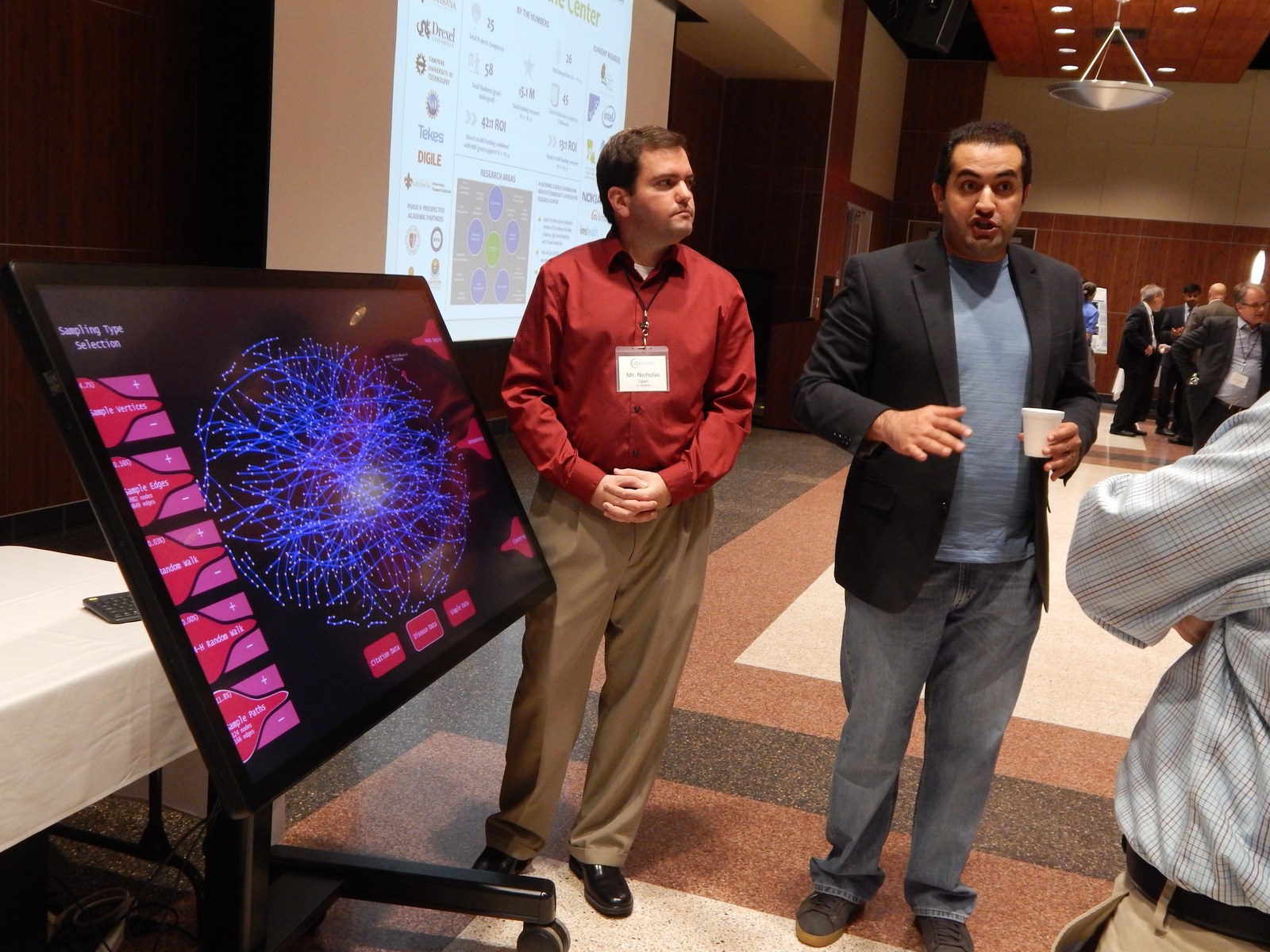
Visitors at the large multi-touch display showing a graph visualization (2016).
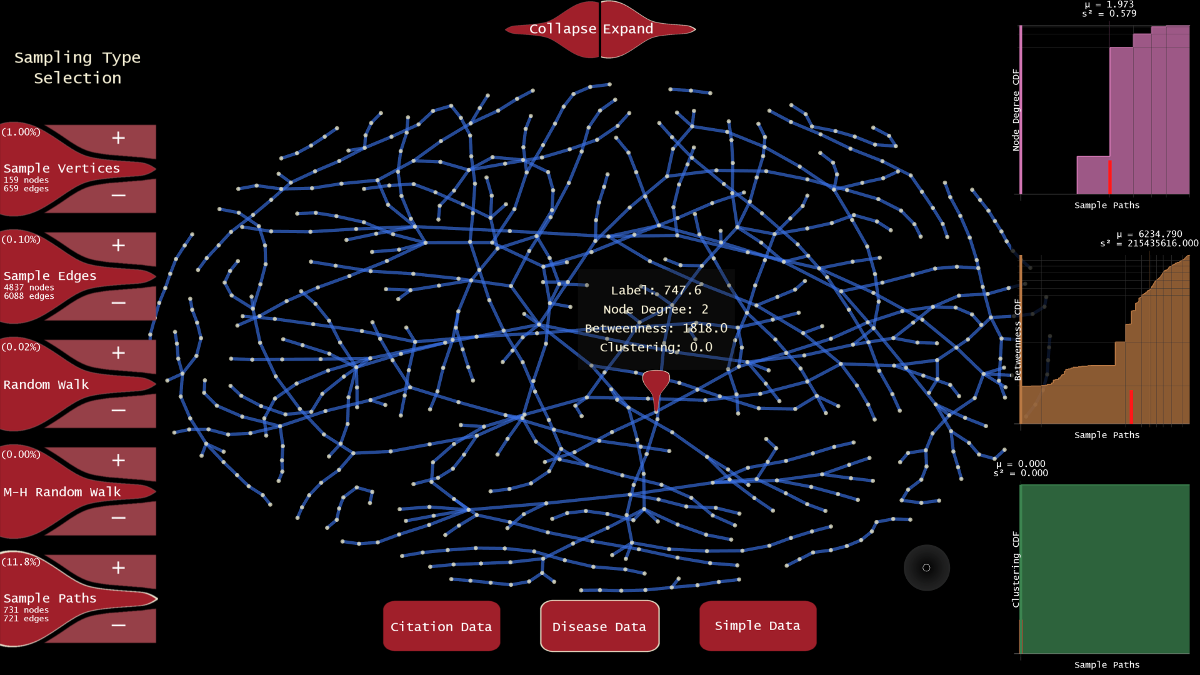
Graph visualization interface with sampling and analytics for exploring relationships between diseases.
- Real-Time Analysis and Visualization of Multi-dimensional Sensor Data (2012)
- Visual Analytic Approaches to Mining Large-scale Time-Evolving Graphs (2013)
- Visual Analytic Methods for Dynamic Graphs (2014)
- Graph Sampling, Summarization, and Touch-Based Visual Analytics for Large Complex Systems (2015)
- Interactive Visual Exploration of Large Graphs with Enhanced Sampling and Summarization (2016)
Publication
- ISVC (Visual Computing) 2016 paper describing our graph sampling and summarization application. We implemented several unbiased sampling techniques to facilitate large scale graph analysis and combined algorithmic processing with human interpretations. (PDF) (DOI)
Interactive Monitoring and Prediction of Water Levels around New Orleans (2014-2015)
Research Assistants: Mores Prachyabrued and Nicholas Lipari
In areas vulnerable to hurricanes, like New Orleans, it is important for specialists to be able to understand flood water events and predictions. We built a visualization and exploration system for monitoring real-time streaming sensor data, histories, and forecasts of imminent water level events. The details of rising levels during major weather events can be explored over a wide area and time frame, allowing responders to assess hazards such as levee breaks to warn and proactively evacuate at-risk communities.
The analysis tool used our touch interfaces for navigation and selection (including Handymap, Handymenu, and multi-touch monitors). Interactable objects allow users to navigate the scene and view details of barometric and water stage sensors, including histories, predictions, and current status, in interactive plots.

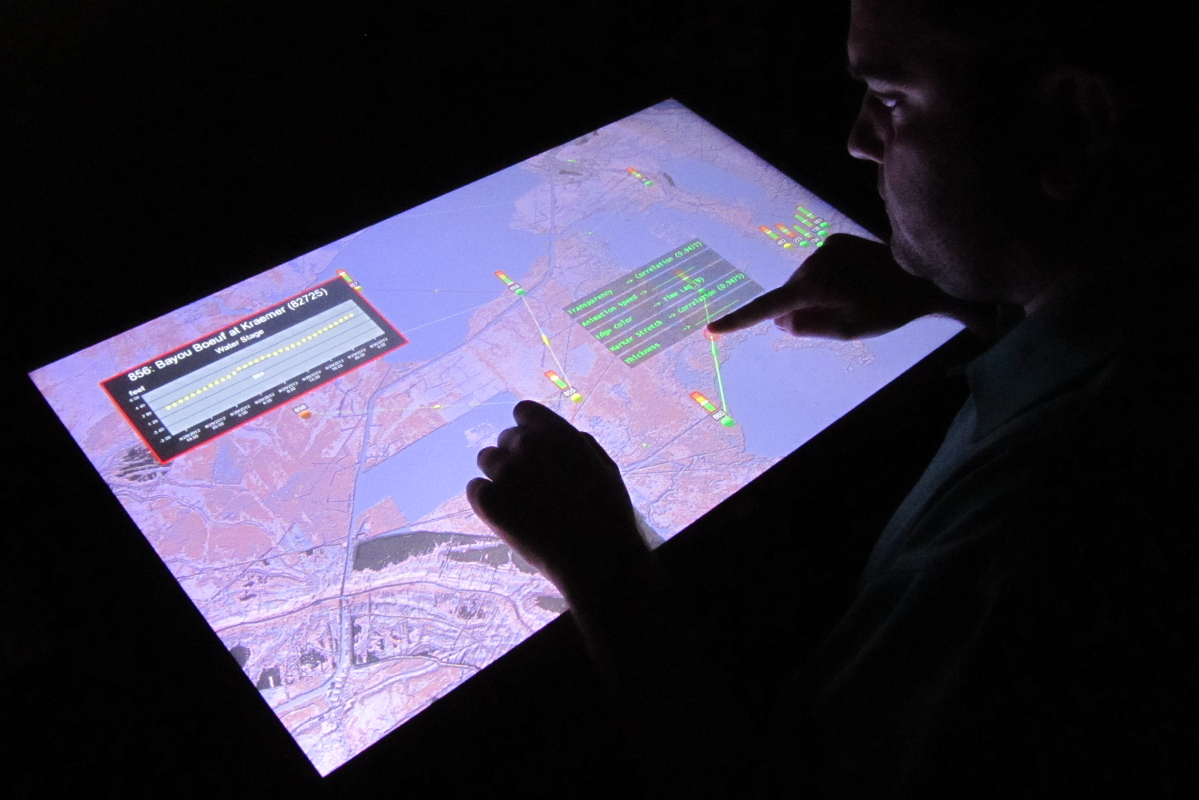
A user browses a history of flooding measurements around New Orleans, LA during Hurricane Isaac in 2012.
(Left) The Handymenu is used to browse water stage data from hydrology sensors. (Right) A multitouch table is used to assign dataset values to visual properties.
Video
Publication
- IEEE 3DUI 2015 paper describing the Handymenu interactions and comparing them to standard VR techniques. (PDF) (DOI)
VR Exploration of the “Dinosaur Killer” Impact Crater (2004+)
Research Assistants: Kaushik Das, Jan-Phillip Tiesel, Vijay Baiyya, Chris Best
Overview
Many geological datasets represent large three-dimensional areas or objects, but are ordinarily viewed and interpreted on conventional desktop displays. We developed tools to allow users to explore and annotate various geological datasets directly in VR, more naturally matching a geological interpreter’s 3D mental model. One project focused on visualizing datasets from the Chicxulub Impact Crater in the Yucatán Peninsula, believed to be related to sudden mass extinctions. These datasets include multiple elevation sets, GPS traces, magnetic fields, and gravity fields. A geologist marked interesting features in the datasets, compared different datasets to understand the level of consistency between them, and estimated impact energy. Use of this system has helped clarify interpretations of the topographical data.
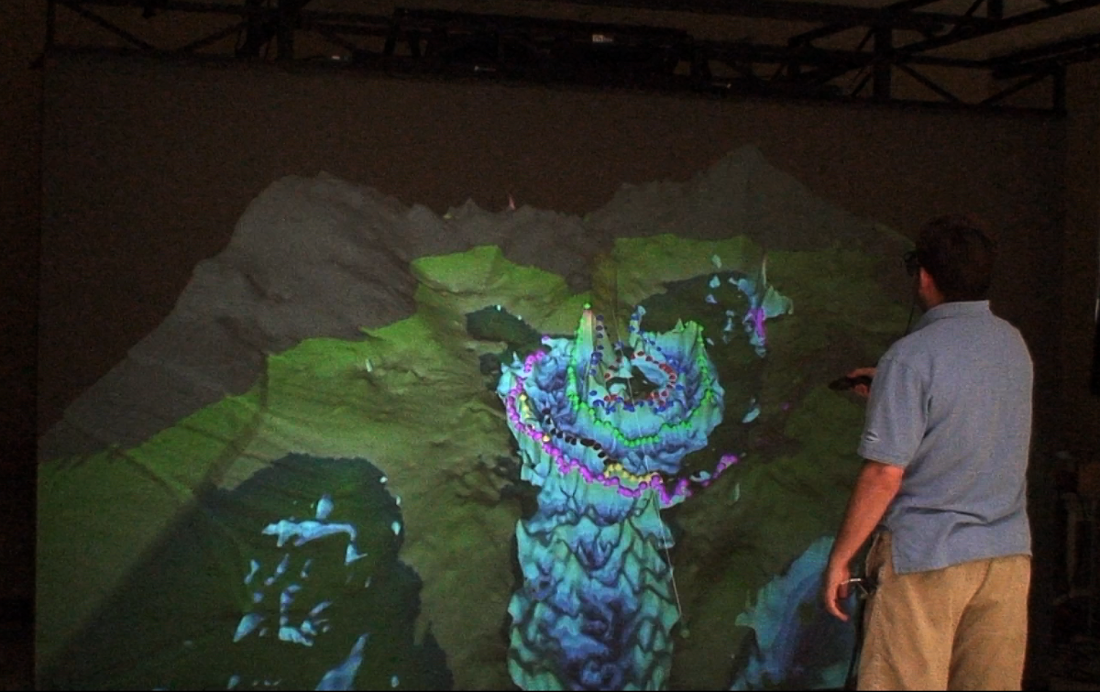
A user interacts with the gravity and gravity gradient datasets by marking points of interest (colored rings) and lining up features in the interpretations. Different spatial data are brought together to verify whether perimeter of the impact crater coincides between the different layers.
Collaborative Interpretation of the Crater Datasets (2018)
Researchers: Jason Woodworth, David Broussard
A follow-up to the crater tool immerses several users in the Chicxulub impact crater at once, using eye-tracked Vive Pro headsets. Movement, terrain state, and annotations are shared across users, tethers link in-world nametags to each person’s avatar so users can find each other, and gaze trails show where each person is looking so the group can discuss specific points on the terrain. The system was demonstrated to VR experts at a conference and to a local geology professor.

A user in VR picks the freehand annotation tool from the Kvasir Geo-Viz toolbox to mark the terrain.

A user explores the terrain in VR; the laptop shows the shared view with annotations.
Research: Remotely-guided VR for Geosciences Interpretation
Remote Tutoring on Terrain Datasets with Live Gaze (2019-2024)
Researchers: Adil Khokhar, Md Istiak Jaman Ami, Niloofar Heidarikohol
Our newest geosciences environment supports one-on-one remote lessons on terrain data. A tutor and a student meet in VR over high-resolution terrain of the Yucatán Peninsula and Lake Constance, and can view several datasets at once as overlays or tiles. A live cursor shows the tutor where the student is looking, so when the student asks about “this ridge,” the tutor can see which one they mean.
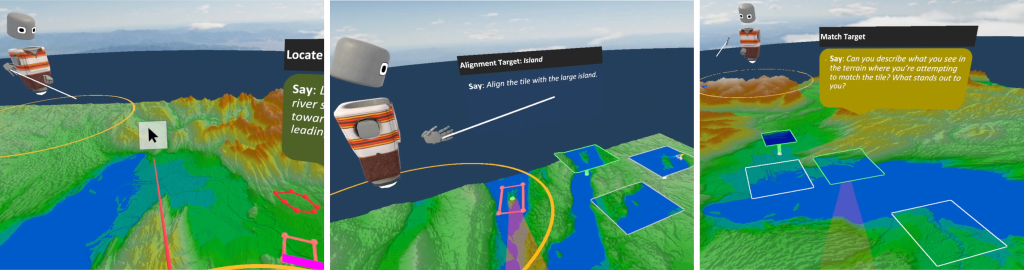
Left: Tutor correcting student misunderstanding when circling a feature near target region. Middle: Student considering which tile matches the highlighted region. Right: Tutor directing student by describing matching terrain features in tiles.
Research: Enhancing Collaborative Communication and Dataset Exploration in VR
Publications
- GCAGS Paper describing the application, the dataset, and the hardware setup for users. (link)
Welding Simulation
Overview
Welders require substantial training and practice to learn their trade. Our MIG welding simulator allows trainees to gain initial welding experience and provides real-time visual and audio feedback about their movements and performance, without the expense of consumables or risks of fumes and gas. Beyond realistic visuals, additional guiding cues can be displayed about welding speed and resulting weld quality. VR Lab members worked with faculty from computer science and engineering to develop a low-cost VR welding station. Our role included granular synthesis methods for realistic audio, low-cost optical tracking, visual effects, and weld simulation components.
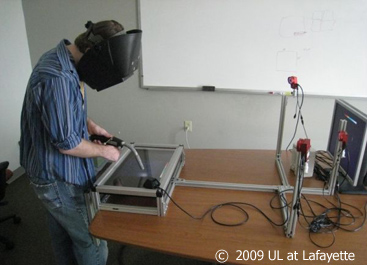 Simulated MIG Welding for Advancement in Technical Training. Visual cues guide the user’s motion to teach proper welding height and speed. |
Publications
- Terrence Chambers, Amit Aglawe, Dirk Reiners, Steven White, Christoph W. Borst, Mores Prachyabrued, Abhishek Bajpayee, “Real-Time Simulation for a Virtual Reality-Based MIG Welding Training System”, March 2012 (vol. 15 no. 1), Virtual Reality (Springer), pp. 45-55.
- Steven A. White, Mores Prachyabrued, Terrence L. Chambers, Christoph W. Borst, Dirk Reiners, “Low-cost simulated MIG welding for advancement in technical training”, March 2011 (vol. 15 no. 1), Virtual Reality (Springer), pp. 69-81. (video)
- SPIE: Steven White, Dirk Reiners, Christoph W. Borst, Terrence L. Chambers, Mores Prachyabrued, “Virtual reality welder training”, Proceeding of SPIE Vol. 7525, The Engineering of Virtual Reality, Jan. 2010.
- IEEE VR reviewed demo: Steven White, Mores Prachyabrued, Dhruva Baghi, Amit Aglawe, Dirk Reiners, and Christoph Borst, “Virtual Welder Trainer”, IEEE VR 2009, pp. 303-304.
Soldier Simulation with Omnidirectional Treadmill
Overview
Running military simulations in VR, as opposed to on 2D screens or in real-life, offers a promising compromise between realism and cost. VR Lab members were part of the CREATE group that worked on a VR simulation environment to support human factors studies of soldier equipment. This project used an omni-directional treadmill in a CAVE-like display for soldier movement in a VR scene. Our role focused on infrastructure development, for example, integrating tracking extensions into the simulation framework, and laying out the overall framework.
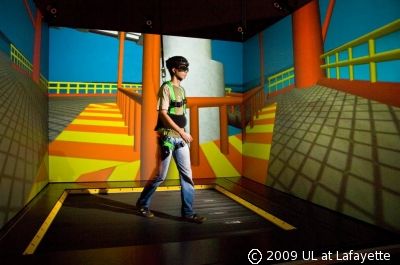
Dismounted Soldier Simulation with the MTS 3rd generation Omni-Directional Treadmill
Isaac Verot Coulee Watershed Visualization (2009-2011)
Research Assistant: Jan-Phillip Tiesel
Overview
Hydrologists at UL Lafayette are studying the relationships between rainfall patterns and water runoff to improve weather effect models. For this they incorporate data from NEXRAD radars, rain gauges, disdrometers, a micro-radar, streamflow gauges, and weather stations. We developed a system that helps them visualize sensor data and demonstrate and evaluate their models and related weather data. This application also helps civil engineering students understand rainfall and watershed events.
Our VR system provided a windowing interface for laying out multiple time-varying datasets and browsing through time using volumetric lenses (link) with playback controls. Spatio-temporal lenses provide time offsets to a specified area of the dataset for viewing multiple time points simultaneously to explore cause-effect relationships. Speed and direction of data playback can be controlled, and time markers can also be inserted for later reference.
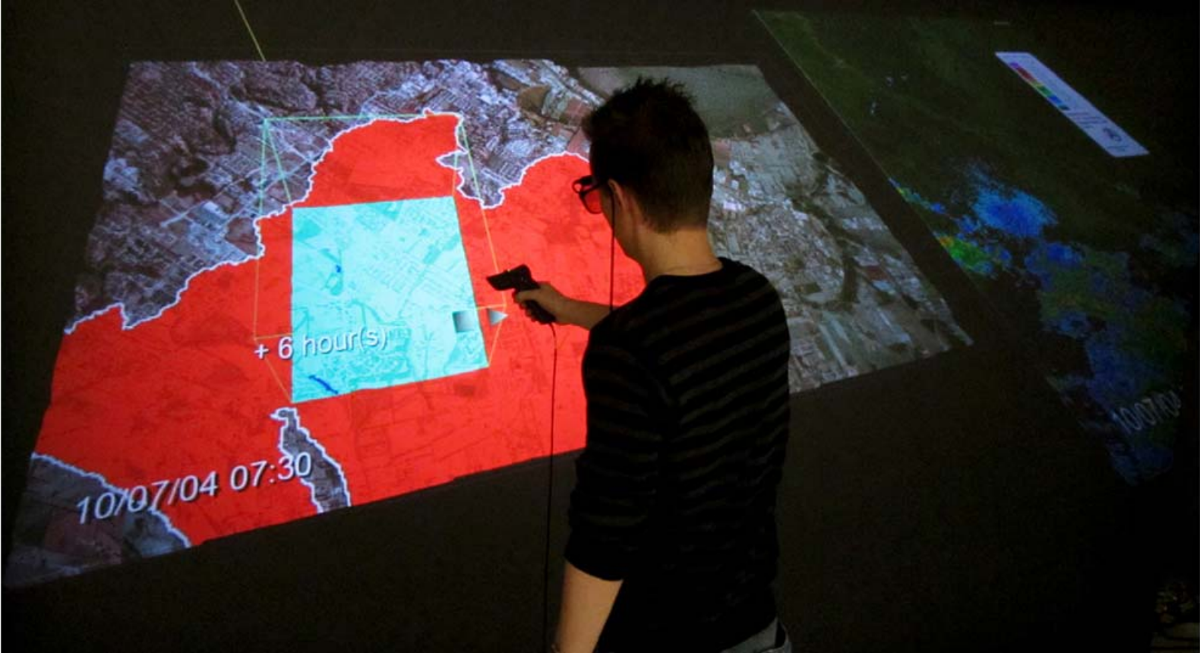
A user in a projection display views distributed rainfall in Lafayette parish from 10/07/04 at 07:30 hrs. Using a relative time warp lens, the user also sees data from the same location in an offset time period. This particular lens shows increased rainfall 6 hours beyond the current context.
Also see a clip of the application in the Visualization Examples Video.
Publication
- TVCG Paper primarily describing the lenses used in the system, with brief overview of the application. (doi)
Well Log Visualization for Coalbed Methane Exploration (2010-2013)
Research Assistant: Jan-Phillip Tiesel, Mores Prachyabrued
Overview
For petroleum engineers to extract coalbed methane (a natural gas) from well reservoirs, it is important for them to be able to understand underground layers and health and potential of wells. Our well log visualization system displays information taken from multiple well log curves, showing sensor data that is studied to assess coal quality, gas contents, gas and water production rates, and gas and water chemistry of coalbed wells. Information is visualized underneath terrain geometry, where users can navigate through and interact with the data in an immersive VR environment. We investigated the use of ray-based and smartphone VR interactions for interactive well log exploration (see Handymap Selection Interface under 3D Interaction).
This application displays multiple well log curves (spontaneous potential and resistivity) positioned underneath terrain geometry. The geological and petroleum industry could benefit from this by being able to manage, display, and interpret coalbed natural gas datasets in immersive VR systems. A depth cursor and a scalable colored pane are available for interpretation. We are investigating the use of a handheld touch interface to address display clutter and precision problems found in standard ray interaction approaches in well log selection (see Handymap Selection Interface under 3D Interaction). Possible future work includes support for “geobodies” – three dimensional volumes enclosing space interpreted to be/contain a defined rock type, and the use of handheld touch devices to improve well log interpretation and annotation tasks.
Also see a clip of the application in the Handymap Selection Interface Video.
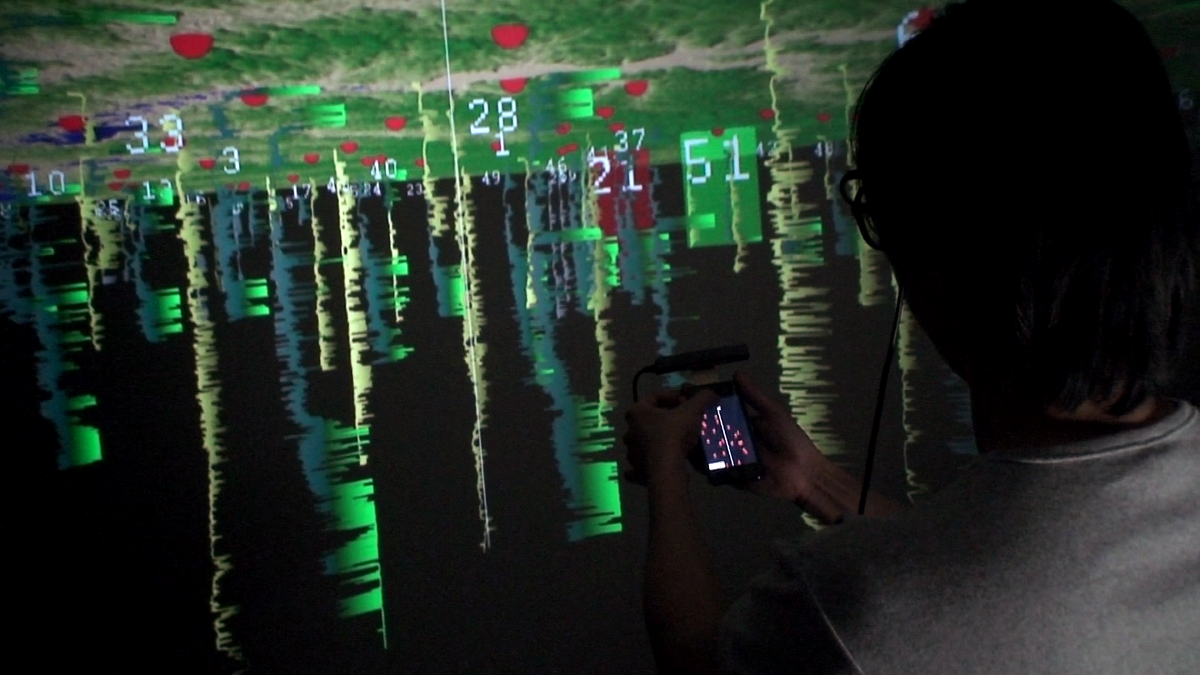
A user inspects well logs from Wilcox Group of North Louisiana to understand rock layers. The well logs are seen as sensor curves beneath a terrain. A user can mark features along logs and line up multiple logs to correlate features between them. Extended log details are shown on a handheld touch display (smartphone).
Publications
- Mores Prachyabrued, David Ducrest, and Christoph W. Borst, “Handymap: A Selection Interface for Cluttered VR Environments Using a Tracked Hand-held Touch Device”, ISVC (Visual Computing) 2011, pp. 45-54. (PDF)
- Prabhakar V. Vemavarapu and Christoph W. Borst, “Evaluation of a Handheld Touch Device as an Alternative to Standard Ray-based Selection in a Geosciences Visualization Environment”, Workshop on Off-the-Shelf Virtual Reality (OTSVR) at IEEE VR 2013. (PDF)
Immersive LIDAR Visualizations
LIDAR, or Light Detection And Ranging, uses light in the form of pulsed lasers to measure distances to a surface, creating point clouds of object or terrain surfaces. Several of our lab’s projects use LIDAR data.
Airborne LIDAR Terrain Visualization (2008+)
Research Assistant: Jan-Phillip Tiesel, Vijay Baiyya, Chris Best, Kaushik Das
We developed tools to view and interpret digital elevation models from helicopter-mounted LIDAR scans. These tools have been used to interpret cross-cutting features in the Lafayette region and to incorporate terrain visualizations into hydrology applications.
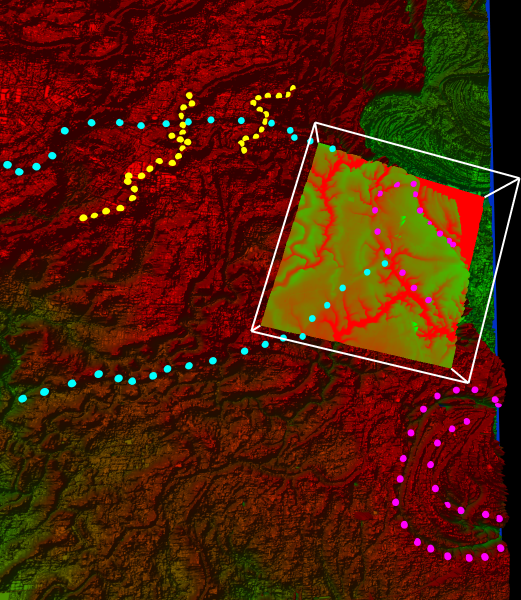
Cross-cutting relationships of features on the Pleistocene prairie complex near Lafayette, Louisiana
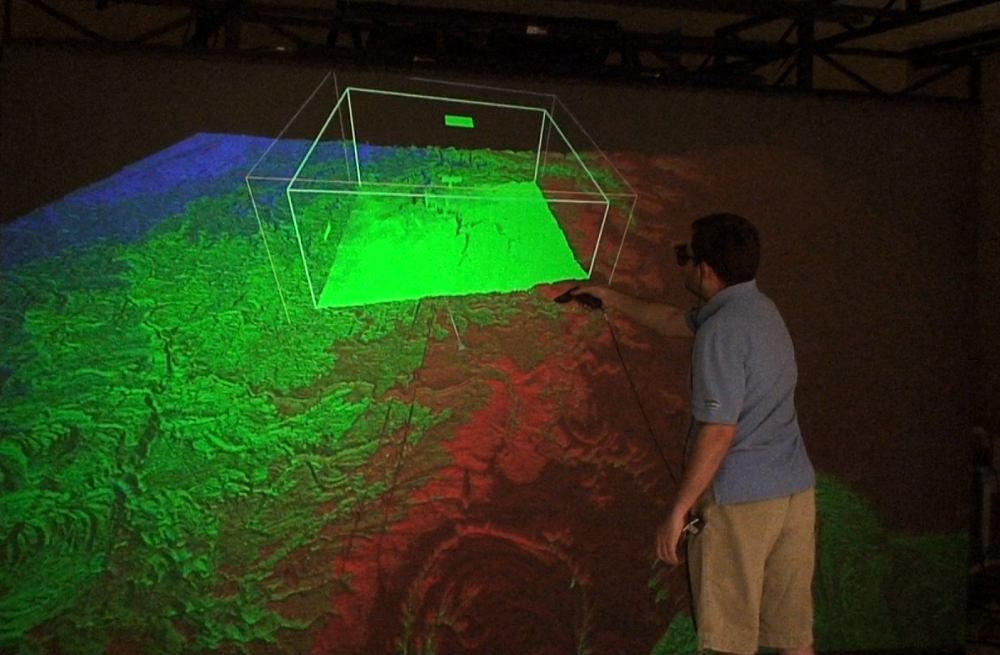
A user inspects LIDAR scans of the Lafayette region. An interactive lens acts as a filter to emphasize troughs.
Publications
- Gary L. Kinsland, Christoph W. Borst, Jan-Phillip Tiesel, Kaushik Das, and S. Kushiyama, “Cross-Cutting Relationships of Features on the Pleistocene Prarie Complex near Lafayette, Louisiana: Imaged with LIDAR and Interpreted in 3D Virtual Reality”, Gulf Coast Association of Geological Societies Transactions 2009, pp. 413-424.
Visualization of Ground-based LIDAR: Bridge Inspection (2008-2009)
Research Assistant: Phanidhar Raghupathy
Bridges can endure significant structural wear over the course of years. Monitoring the progress of wear is integral to predicting structural failures and marking points for repair. In this application, users can inspect large point cloud representations of a bridge across multiple time periods, with each time period generated from a LIDAR dataset, to identify faults and points of wear.
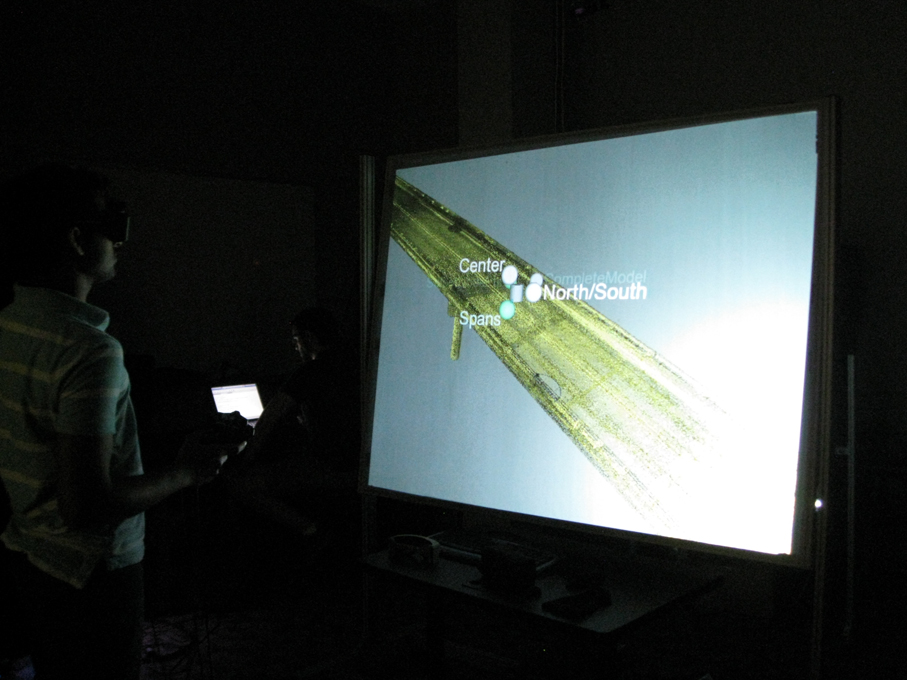
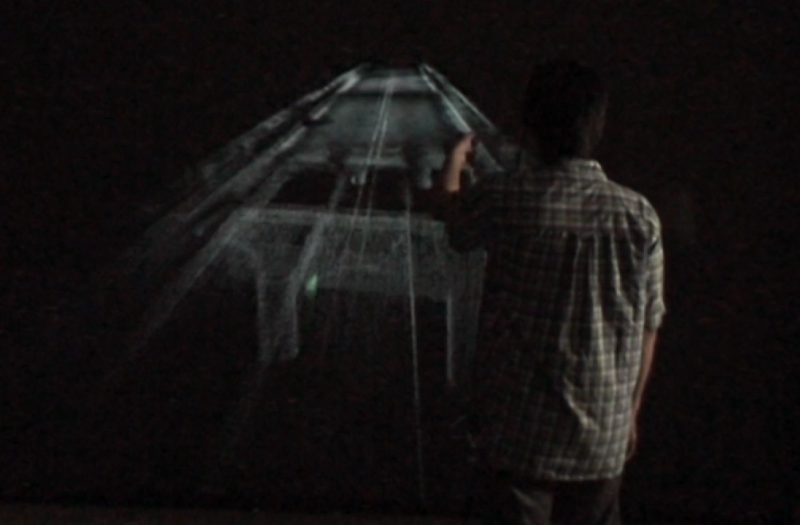
A user inspects 3D scans of a highway overpass on Interstate-10 near Lafayette, using the Menu system developed by Kaushik Das to select different spans of the bridge in different time periods.